If you are using Internet Download Manager (IDM) 6.43 Build 10, you may encounter the following error message:
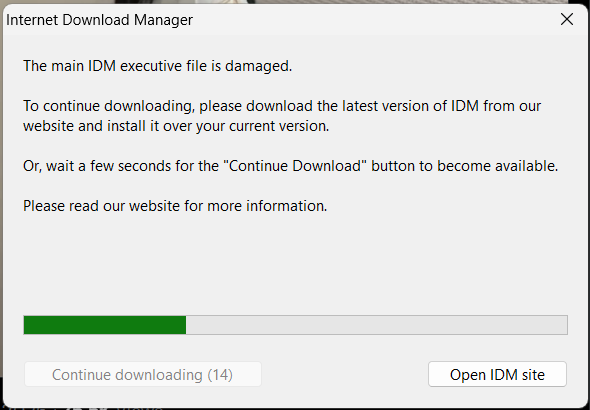
The main IDM executive file is damaged.
To continue downloading, please download the latest version of IDM from our website and install it over your current version.
Or, wait a few seconds for the “Continue Download” button to become available.
Please read our website for more information.
This error usually appears when IDM files become corrupted, incomplete, or are modified by third-party software. Fortunately, the issue can be fixed in a few simple steps.
Fix The main IDM executive file is damaged
The most effective solution is to download and install the latest version of Internet Download Manager over your existing installation.
- Close Internet Download Manager completely.
- Download the latest IDM setup from the official website.
- Run the installer and install it over your current version.
- Download & Apply the latest patch download from here
- Open IDM and check if the error is resolved.
- Enjoy!!!
Why Does This Error Occur?
Common causes include:
- Corrupted installation files
- Interrupted updates
- Antivirus interference
- Damaged system files
- Unauthorized modifications to IDM program files
Final Words
In most cases, simply installing the latest version of IDM over the existing installation fixes the “The main IDM executive file is damaged” error. If the issue continues, perform a clean reinstall and ensure that your antivirus software is not interfering with IDM files.
Keeping IDM updated is the best way to avoid compatibility and stability issues in the future.